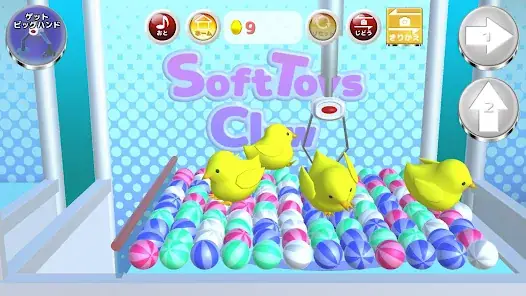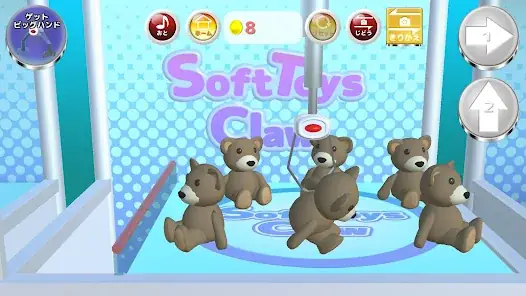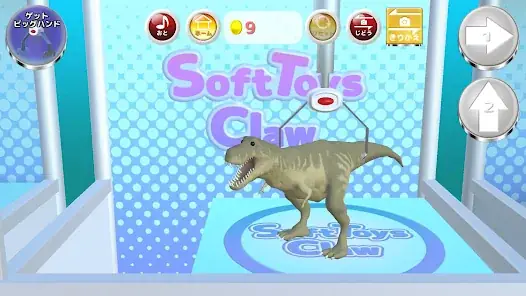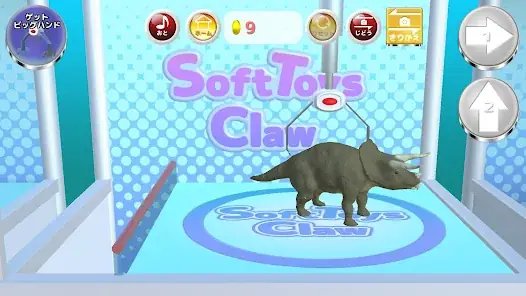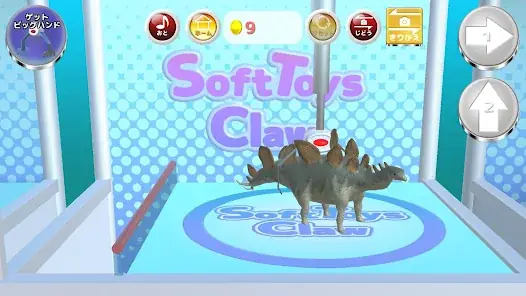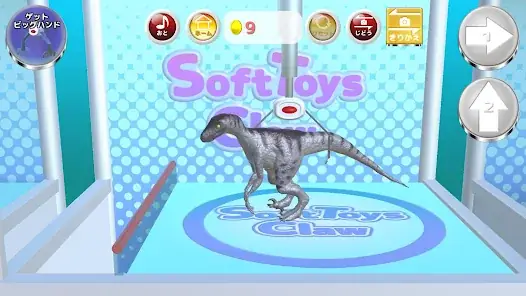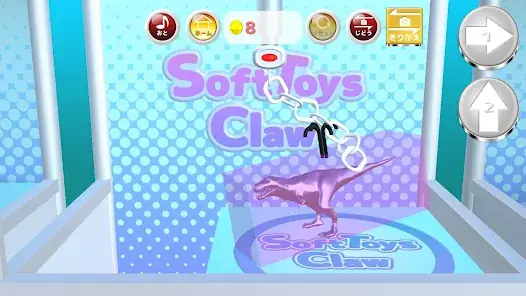



This is a simulator game that replicates the experience of a real crane game.
Although you won't actually receive real plush toys, we've done our best to recreate the authentic atmosphere of a crane game.
Features of Family Crane
・ Realistic movements are achieved using 3D graphics and a physics engine.
・ Beautiful graphics.
・ Normal Stage: A classic stage where you aim to collect ordinary plush toys.
・ Challenge Stage: Technical stages that go beyond what's possible in regular crane games.
How to Play Family Crane
1. Main Menu
「Normal Stage」 Button – Select a stage to collect standard plush toys.
「Challenge Stage」 Button – Select a technical stage.
「Collection」 Button – Navigate to the screen to view previously collected items.
2. Stage Selection Screen
Each stage is displayed as an image in a list.
Tap the image of the stage you want to play to bring up a confirmation screen, then press Start to begin the game.
3. Game Screen
・ Hold the horizontal button to move the crane continuously to the right. Release the button to stop the crane.
・ Hold the vertical button to move the crane forward continuously. Releasing the button stops the crane, which then automatically descends and closes its claw.
・ After closing the claw, the crane returns to its original position.
・ Once back at the starting position, the claw opens. If a plush toy was successfully grabbed, it will fall and be collected.
・ Move your finger up, down, left, or right on the screen to adjust the camera perspective accordingly.
・ Each tap of the "Flip View" button switches between front and side perspectives.
4. Coins
・ One coin is consumed each time you move the crane.
・ You receive 3 coins when you successfully collect a plush toy.
・ If you collect all plush toys in a stage, you receive 5 coins.
・ When your coins run out, the game pauses.
After waiting 10 minutes, you’ll receive 10 coins.
Alternatively, watching an advertisement video grants you 30 coins.
5. Big Hand Feature
・ The Big Hand feature is now available.
・ The Big Hand has a larger claw and stronger grip than the standard crane, making it easier to grab items.
・ Tap the "Get Big Hand" button in the top-left corner and watch the full ad to receive 5 uses of the Big Hand.
・ To use the Big Hand, tap the button in the top-left corner to transform the crane’s claw into the Big Hand.
・ When you move the crane and return it to its original position, it reverts to the normal crane.
・ Using the Big Hand consumes 1 coin per movement.
Please review the Terms of Use before using this app.
By downloading this application, you agree to the Terms of Use.
Terms of Use: http://atelier-kuon.com/terms-and-conditions/
Although you won't actually receive real plush toys, we've done our best to recreate the authentic atmosphere of a crane game.
Features of Family Crane
・ Realistic movements are achieved using 3D graphics and a physics engine.
・ Beautiful graphics.
・ Normal Stage: A classic stage where you aim to collect ordinary plush toys.
・ Challenge Stage: Technical stages that go beyond what's possible in regular crane games.
How to Play Family Crane
1. Main Menu
「Normal Stage」 Button – Select a stage to collect standard plush toys.
「Challenge Stage」 Button – Select a technical stage.
「Collection」 Button – Navigate to the screen to view previously collected items.
2. Stage Selection Screen
Each stage is displayed as an image in a list.
Tap the image of the stage you want to play to bring up a confirmation screen, then press Start to begin the game.
3. Game Screen
・ Hold the horizontal button to move the crane continuously to the right. Release the button to stop the crane.
・ Hold the vertical button to move the crane forward continuously. Releasing the button stops the crane, which then automatically descends and closes its claw.
・ After closing the claw, the crane returns to its original position.
・ Once back at the starting position, the claw opens. If a plush toy was successfully grabbed, it will fall and be collected.
・ Move your finger up, down, left, or right on the screen to adjust the camera perspective accordingly.
・ Each tap of the "Flip View" button switches between front and side perspectives.
4. Coins
・ One coin is consumed each time you move the crane.
・ You receive 3 coins when you successfully collect a plush toy.
・ If you collect all plush toys in a stage, you receive 5 coins.
・ When your coins run out, the game pauses.
After waiting 10 minutes, you’ll receive 10 coins.
Alternatively, watching an advertisement video grants you 30 coins.
5. Big Hand Feature
・ The Big Hand feature is now available.
・ The Big Hand has a larger claw and stronger grip than the standard crane, making it easier to grab items.
・ Tap the "Get Big Hand" button in the top-left corner and watch the full ad to receive 5 uses of the Big Hand.
・ To use the Big Hand, tap the button in the top-left corner to transform the crane’s claw into the Big Hand.
・ When you move the crane and return it to its original position, it reverts to the normal crane.
・ Using the Big Hand consumes 1 coin per movement.
Please review the Terms of Use before using this app.
By downloading this application, you agree to the Terms of Use.
Terms of Use: http://atelier-kuon.com/terms-and-conditions/